
Faster Metric Entry on iPhone: Numeric Keypad Option
Much of the data entered during rounds is numeric — meter readings, chemical measurements, tank levels, and other field values. Until now, entering those numbers on iPhones required using the standard keyboard, which includes both letters and numbers. While it works, it isn’t always the most convenient experience.
To make this easier, Rounds now includes an option to use a numeric keypad for metric entry on iPhones. When enabled, tapping a metric value field opens a decimal number pad instead of the full keyboard, making number entry quicker and reducing the chance of accidental keystrokes.
Teams asked for this improvement because it makes routine data entry simpler, faster, and more comfortable in the field—especially when entering multiple readings during rounds.
Rounds now includes an option to enable a numeric keypad when entering metric values on iPhones. When this setting is turned on, tapping a metric number input will bring up a decimal numpad instead of the standard full keyboard, making data entry faster and reducing input errors in the field.
Full Keyboard input: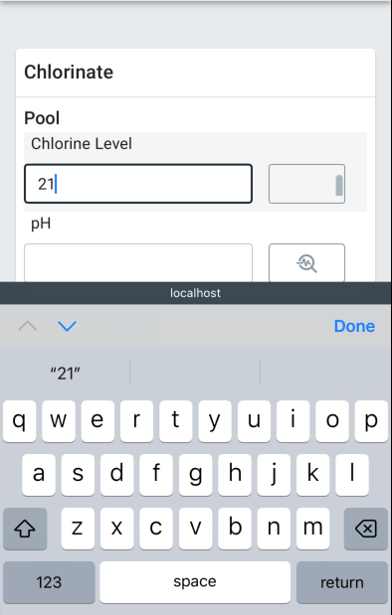
Decimal Number Pad input:
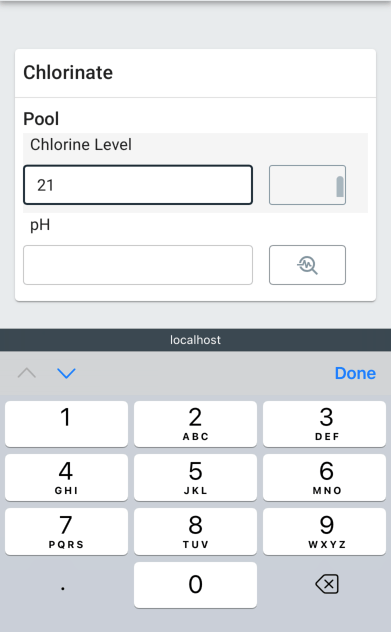
How to Enable the Decimal Number Pad Input
To enable this feature, click on the gear icon in the bottom left-hand corner of the screen and toggle on "Enable mobile number input" under the Options. The change takes effect immediately for all metric number inputs across your sites. If you ever want to switch back to the default keyboard, simply toggle the setting off from the same page.
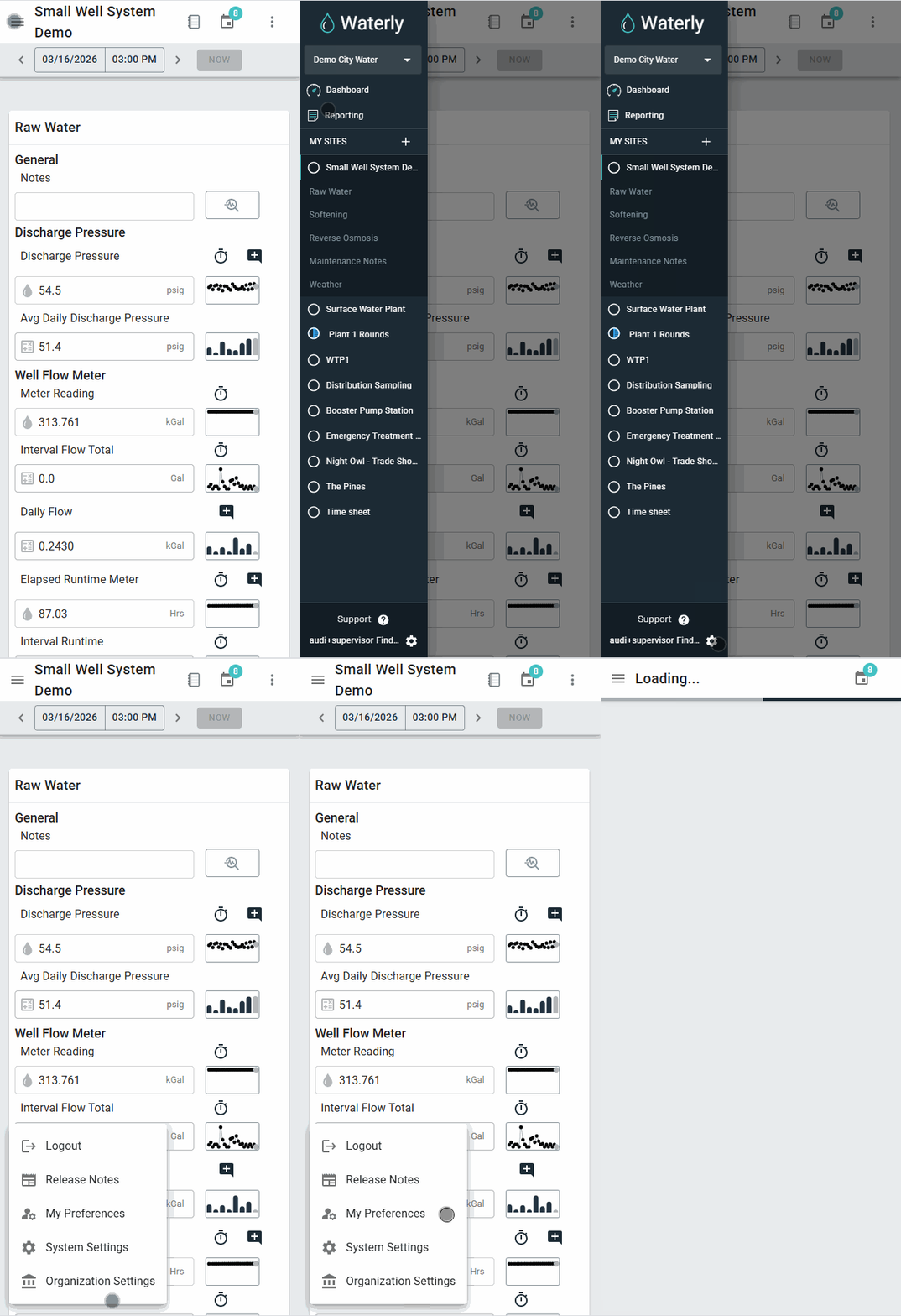
In the My Preferences section, toggle the Number Input option. 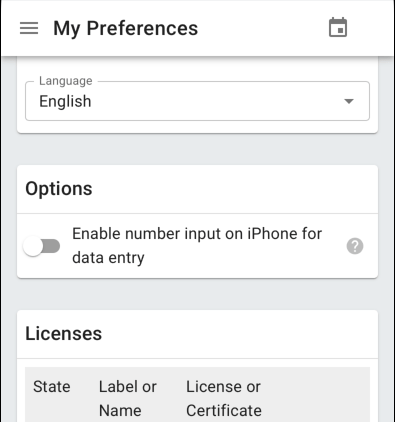
Note: Enabling number pad will disable the speech-to-text microphone and there is currently no negative sign in the iOS numpad
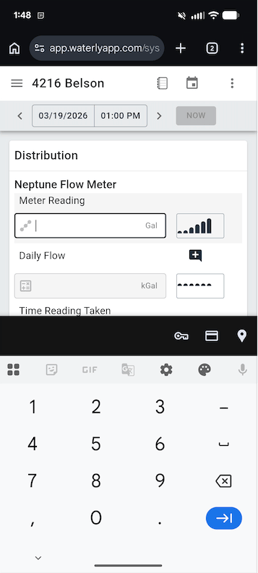
Android Devices
Note that on Android mobile devices, a number pad will always appear when clicking on a metric number input. Toggling the "Enable number input on IPhone for data entry" option in "My Preferences" will not affect this behavior.
This feature is currently available on iPhone when using Safari. If you have questions or run into any issues, your Waterly administrator or the Waterly support team can help. Feedback from people like you helps shape improvements like this, so keep it coming.